
Free anchor alarm: download the Skipper App
The Skipper App is a free anchor alarm for Android. With the screen off it reads the GPS every 2 seconds and, if the boat drags, it sounds even on silent. You install it from a 2.5 MB APK, with no sign-up. Plus everything in the Skipper App: storms, NAVTEX, waves, GPS chart, COLREGs and radio.
How do I install the anchor alarm on Android?
- Tap Download for Android and open the downloaded file.
- Android will ask whether to allow installing apps from this source: say yes (only the first time).
- Open Skipper App and tap Anchor alarm. You can also long-press the icon.
Coming soon to Google Play.
How do I get the anchor alarm on iPhone?
- Open escuelanauticaaltair.com/app/en in Safari.
- Tap the Share button (the square with the arrow pointing up).
- Choose Add to Home Screen. It now works like any other app.
On iPhone you get everything except the anchor alarm with the screen off: Apple only allows that for App Store apps.
How does the anchor alarm work?
- Sounds even on silentIt uses the phone alarm channel, like the alarm clock, at full volume and with vibration.
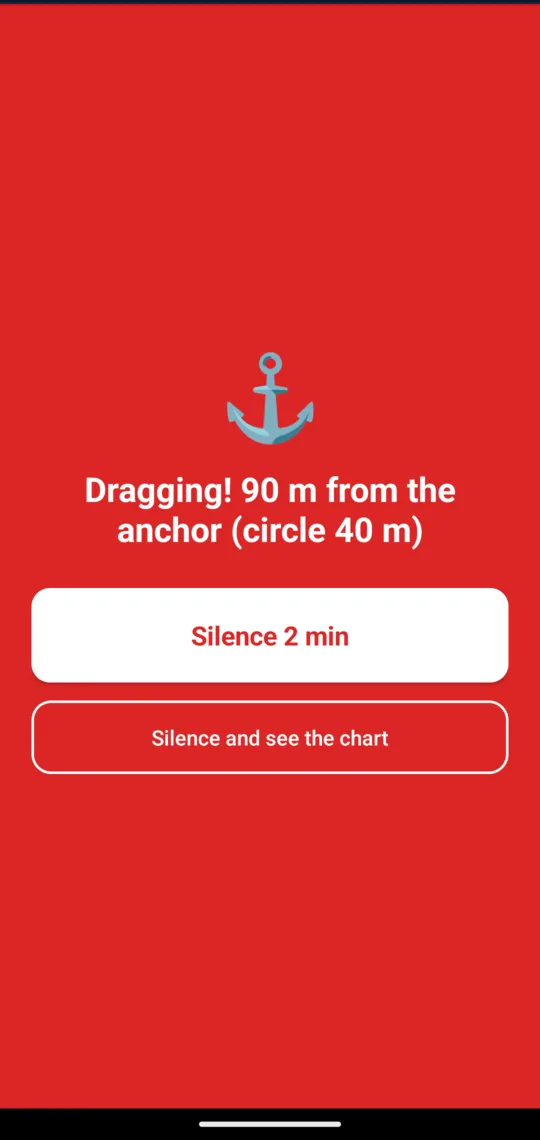
- Watches with the screen offIt reads the GPS every 2 seconds even with the phone locked. If you drag, the screen turns on in red.
- No false alarmsIt only goes off after three good readings in a row outside the circle; inaccurate fixes do not count.
- Warns you if it goes blindIf it loses GPS for a minute, or the battery drops below 15 % and is not charging, it sounds too.
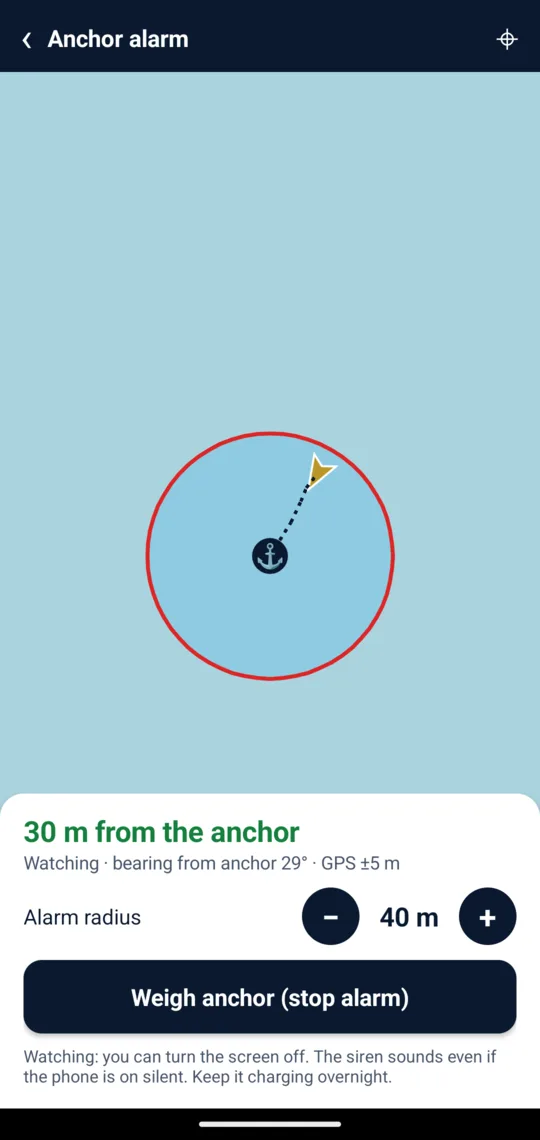
- Your own circleDrop anchor with one tap when it hits the bottom, or long-press on the chart where it fell. Radius from 15 to 200 m.
- See your swingThe chart draws dots showing how the boat has swung around the anchor.
- Alerts another phone tooIf you leave a phone on the boat, the alarm sends a notification to your phone ashore (and an email, if you like). Pair it with a link or a QR code.
What else is in the Skipper App?
Storm alerts with radar and lightning, live NAVTEX warnings, buoy wave data, GPS chart, AIS ships, COLREGs, buoyage, animated knots, pre-departure checklist and MAYDAY script. Open it in your browser or read what it includes.
Anchor alarm FAQ
Is the anchor alarm free?
Yes. The Skipper App is free and needs no sign-up. It is made by Escuela Náutica Altair, Ricard Prehn's sailing school in Port Garraf (Barcelona).
Does it work without mobile data?
Yes. The watch only needs the phone GPS, which works without data. Without coverage, chart areas you have not seen before will not load, but the alarm works the same.
Does it drain the battery?
It uses the GPS continuously, so it uses more than an idle phone. For a night at anchor, keep it plugged in; if the battery drops below 15 % and is not charging, the app warns you.
What radius should I set?
The chain you have let out plus the boat length and a few metres for GPS error. With 25 m of chain on a 10 m boat, about 40 m.
Is it safe to install an APK outside Google Play?
Yes: it is the same app that will go on Google Play, signed by the school, and it only asks for your location (to watch the anchor) and notifications (for the dragging alarm). Android asks permission to install from this source only the first time.
Why is it not on Google Play?
It will be soon. Meanwhile you can download it here: it is the same app, signed by the school.
What about iPhone?
On iPhone you install it from Safari with “Add to Home Screen” and get everything except the anchor alarm with the screen off, which Apple only allows for App Store apps.
The alarm helps, but it does not replace an anchor watch or good anchoring. Learn how to anchor and how much chain to let out.